Web SDK version 5.1.0+
Android SDK version 5.1.0+
iOS SDK version 5.1.0+
Generally, the application of the fingerprint of the customer access device to the business scenario is divided into two parts. In the first step, the customer application needs to integrate the SDK to collect the device information first, and the same shield returns the device information black box. The second step client application obtains the black box and passes it to the risk control platform, which obtains the device ID and device information through black box calls to the device fingerprint service for decision-making.
The result of sealing the client is that when the customer application accesses the SDK, you can choose whether to directly return the encrypted device information. If it is confirmed that the front-end application obtains the encrypted device information, the same shield SDK will directly return the anonymous ID, black box and encrypted device information, and the customer's risk control platform will decrypt the device information through the key,To make a decision, the interaction between the risk control platform and the device fingerprint service is omitted.
Advantages:
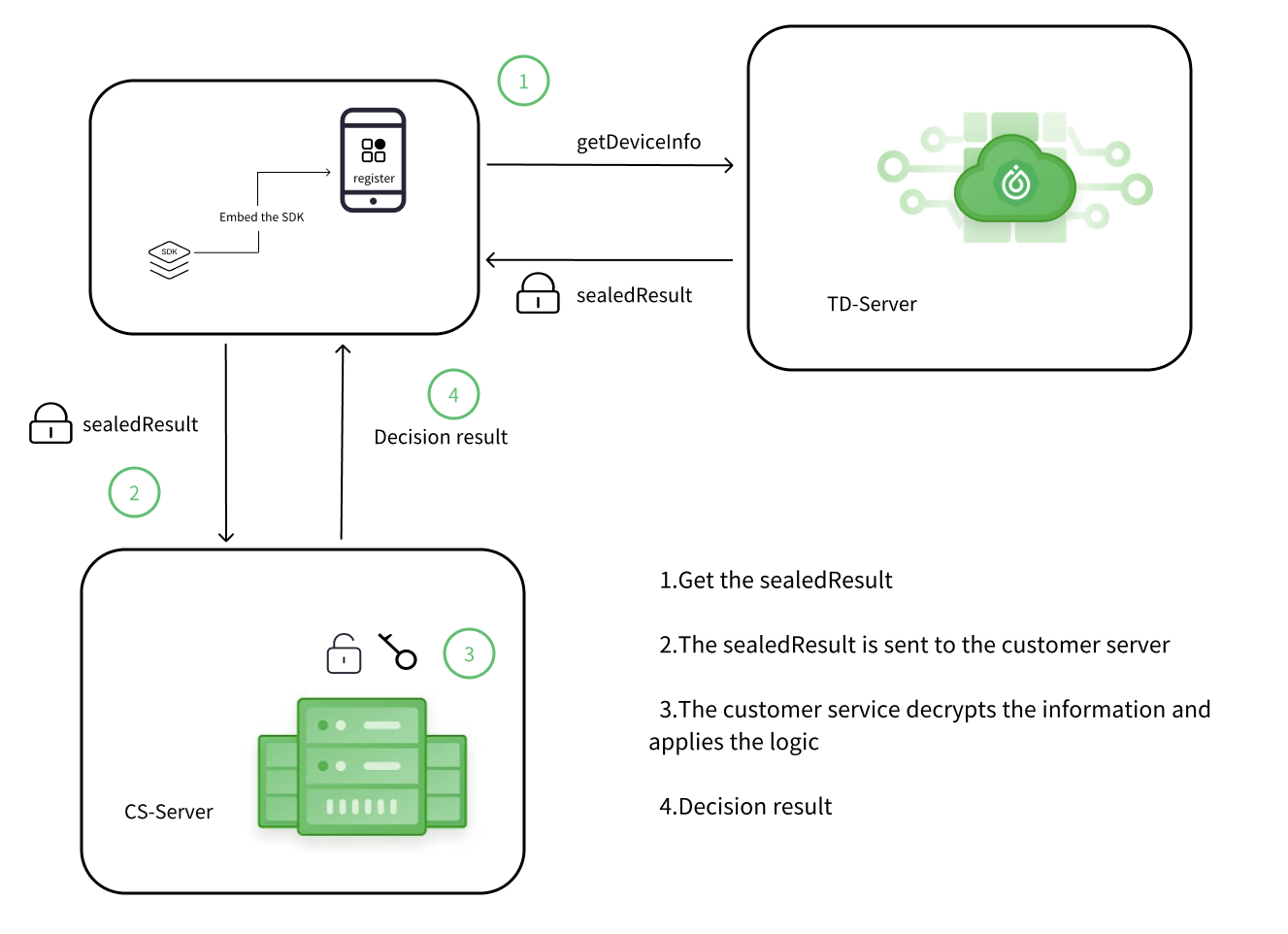
If you want to use sealed client results, you need to complete the following steps
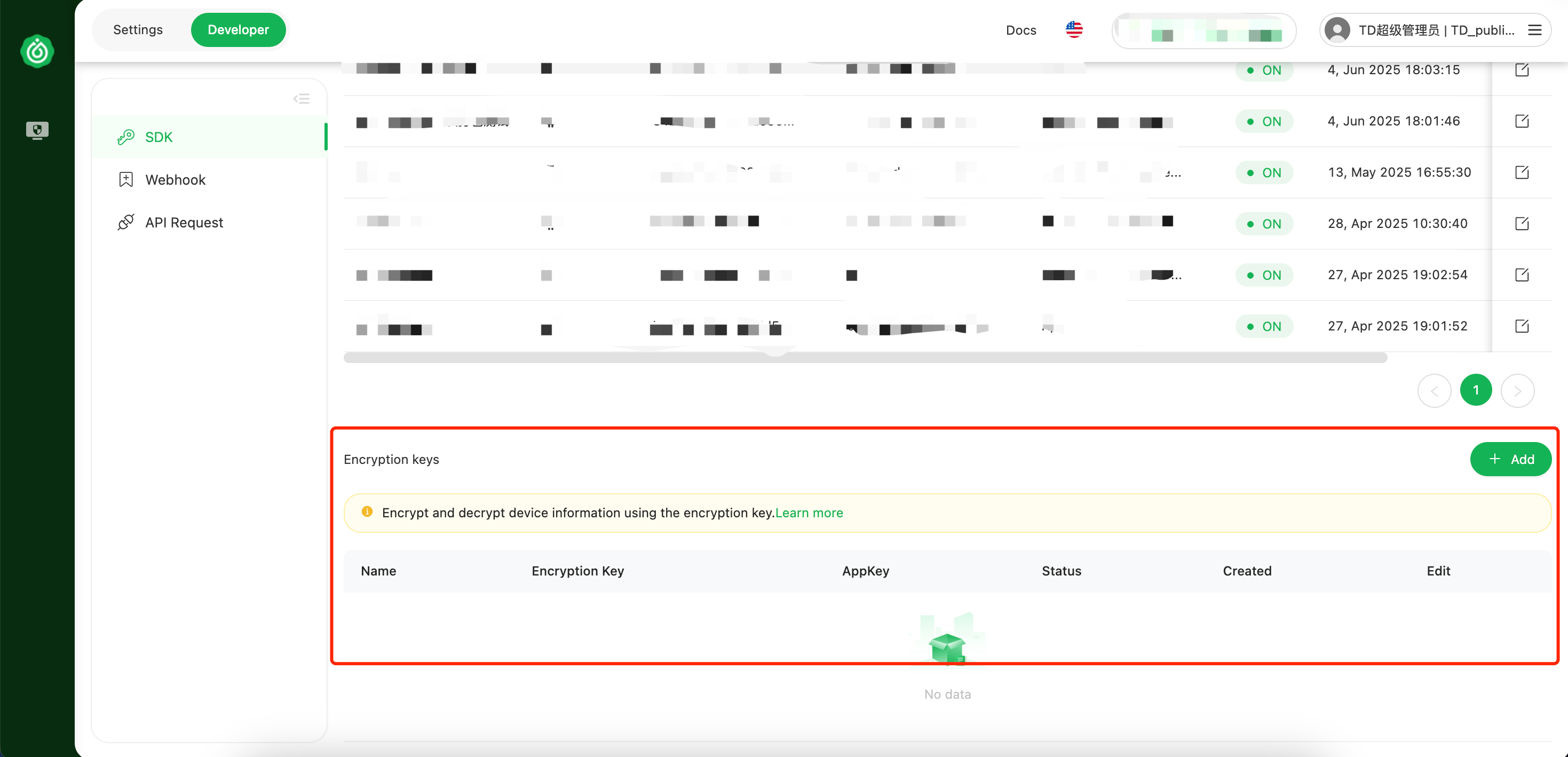
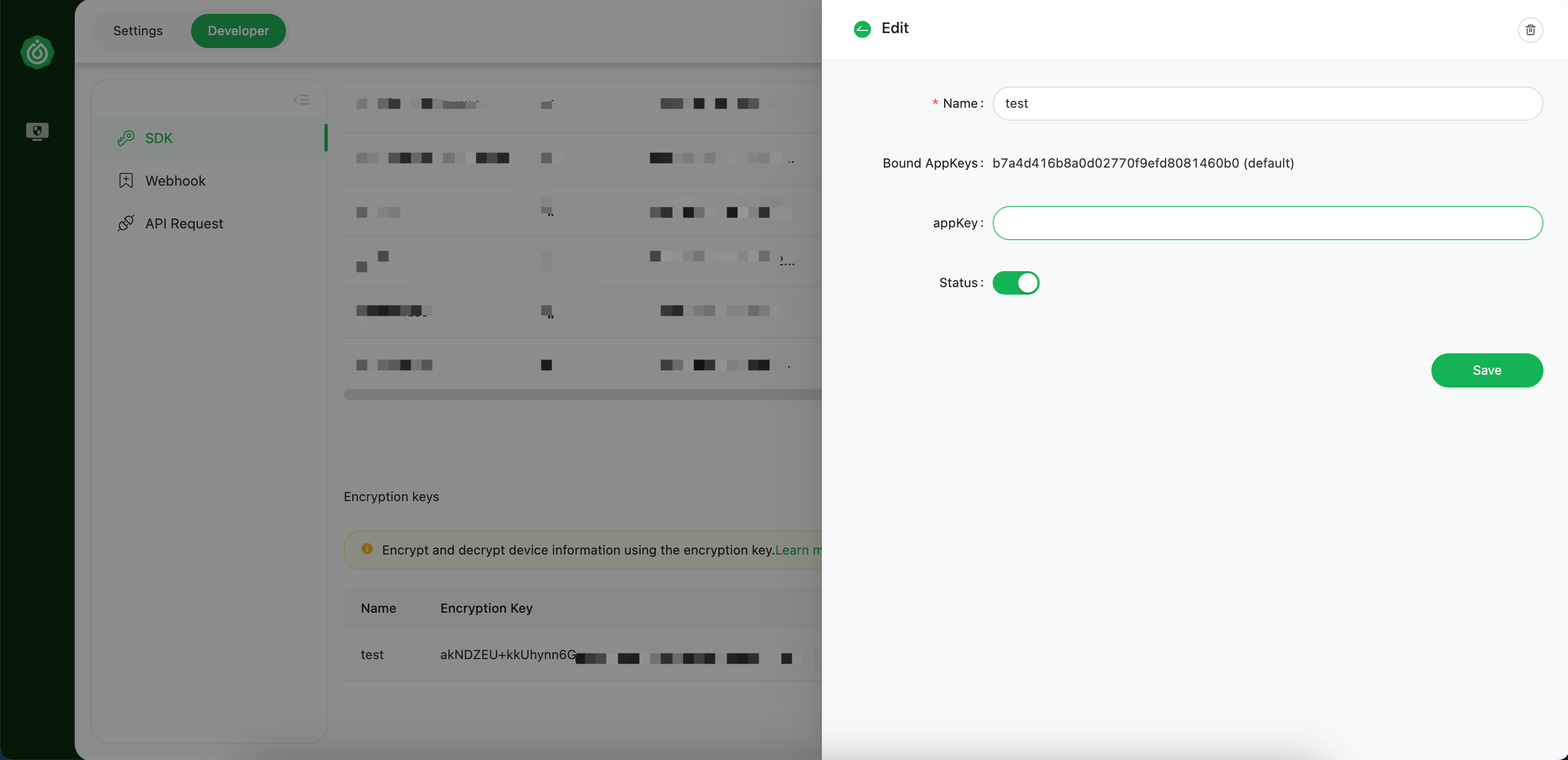
Navigate to Customer Platform-Developer-Key & SDK-Encryption Key
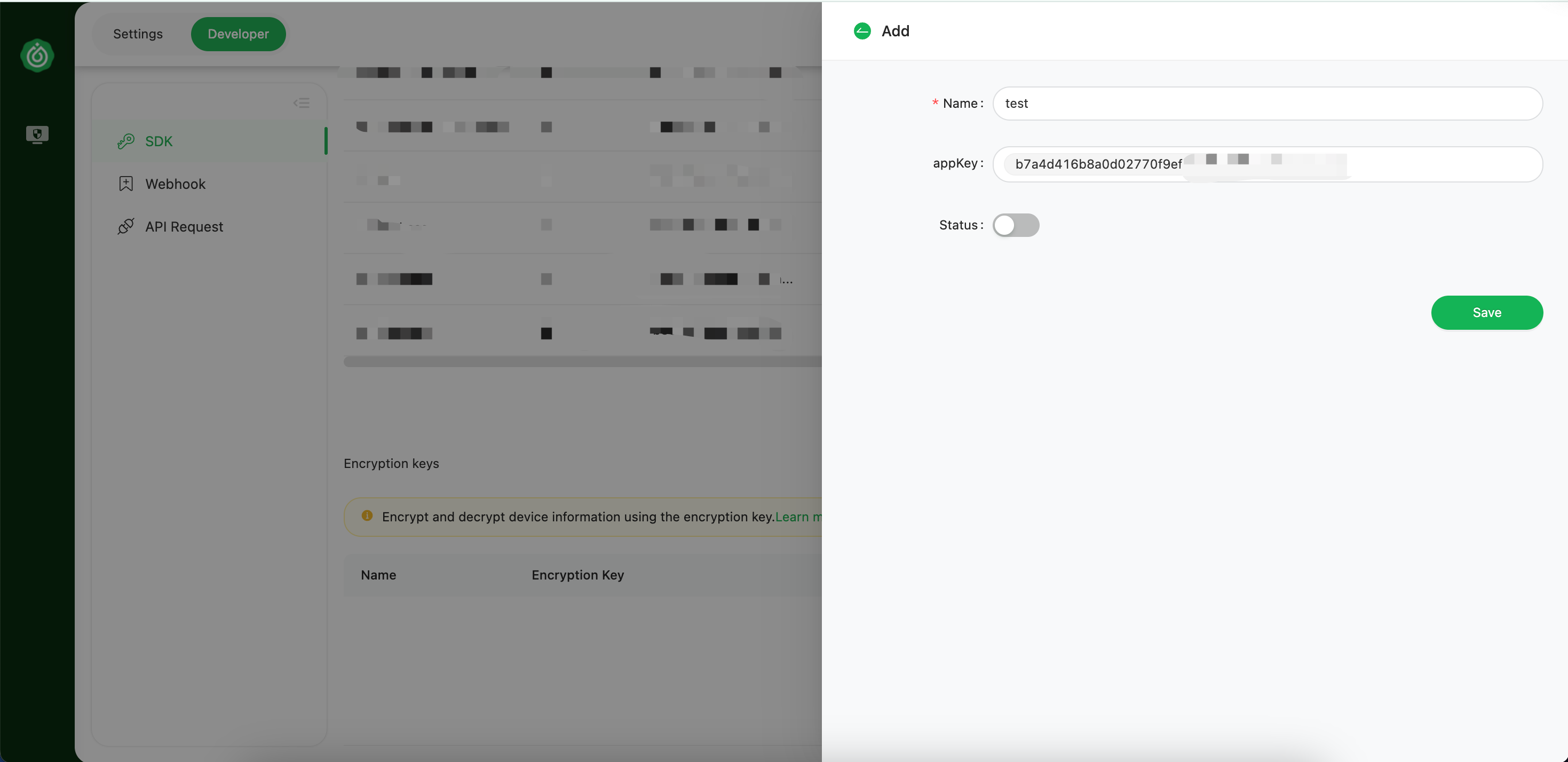
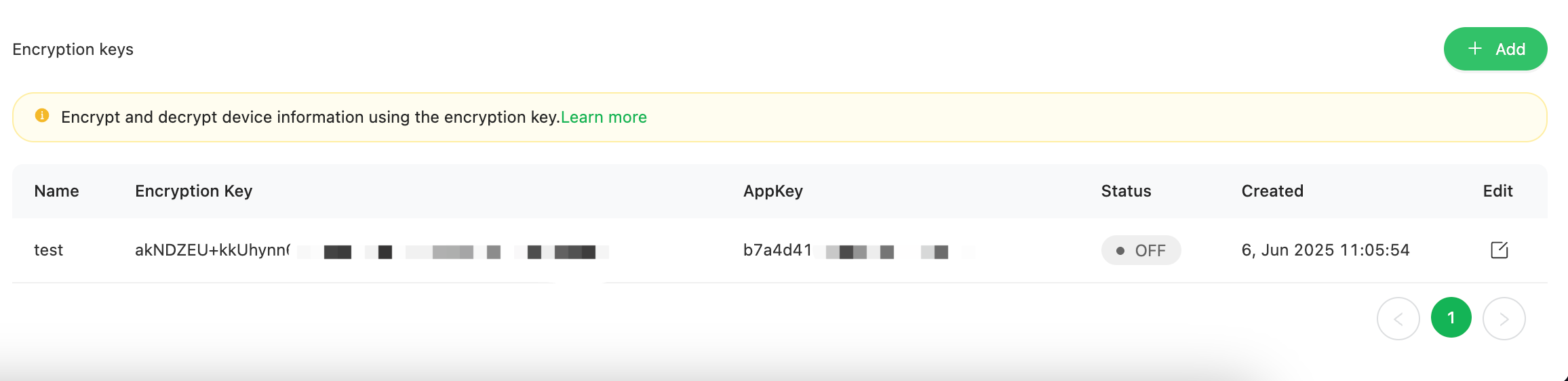
Copy the encryption key and provide it to the server for use.
The decryption function is designed only on the backend. If you try to decrypt the sealed result on the client, it means that anyone can see the encryption key. This could leak sensitive information and introduce new hacking attacks.
After the front end sends the client's sealedResult to the server, it is necessary to use the encryption key generated as described above for decryption.
Example of Decrypting the Sealed Result:
Example :
{
  "device_risk_score": 4,
  "code": 200,
  "channel": "apitest",
  "device_risk_label": ["adb_link"],
  "device_risk_tools": {
    "running_risk_tools_type": [],
    "installed_risk_tools_type": []
  },
  "device_detail": {
    "app_version": "5.0.0",
    "language": "zh",
    "installed_packages": "[{\"package
You can turn off sealed client results by simply disabling the encryption key for the client platform. Before disabling encryption keys, ensure that your integration can support processing unencrypted data results
import base64
import json
import zstandard as zstd
import io
from cryptography.hazmat.primitives.ciphers import Cipher, algorithms, modes
from cryptography.hazmat.backends import default_backend


def aes_decrypt(source, key_str):
    try:
        data = base64.b64decode(source)
        key_bytes = base64.b64decode(key_str)

        if len(data) < 12 + 16 + 5:
            raise ValueError("Data too short for valid payload")

        iv = data[:12]
        auth_tag = data[-16:]
        ciphertext = data[12:-16]

        cipher = Cipher(
            algorithms.AES(key_bytes),
            modes.GCM(iv, auth_tag),
            backend=default_backend()
        )
        decryptor = cipher.decryptor()
        compressed = decryptor.update(ciphertext) + decryptor.finalize()

        if compressed[:4] != b'\x28\xb5\x2f\xfd':  # Magic Number
            raise ValueError("Invalid Zstd header")

        dctx = zstd.ZstdDecompressor()
        with dctx.stream_reader(io.BytesIO(compressed)) as reader:
            decompressed = reader.read()

        device_info = decompressed.decode('utf-8')
        return json.dumps(device_info)

    except Exception as e:
        print(f"AES256-ZSTD decrypt fail! {e}")
        return None
# encryptionKey
keyStr = "your encryptionKey"
# sealedResult
source = "your sealedResult"
result = aes_decrypt(source, keyStr)
print(result)